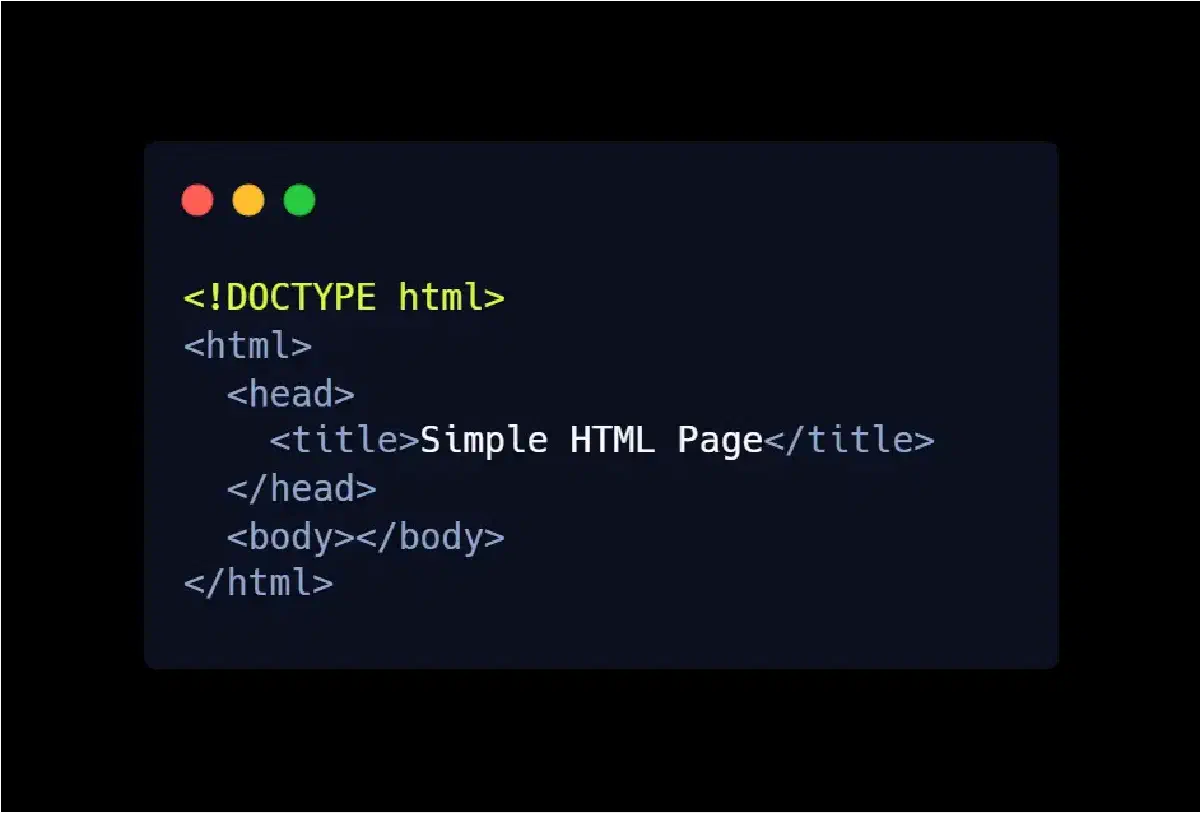

Creating a well-structured web page begins with mastering the core HTML elements. Whether you’re a beginner web developer or refining your practice for SEO and performance, understanding the fundamental HTML structure is non-negotiable. These core tags not only shape your page’s content, but also influence how search engines crawl, interpret, and index your site.
In this guide, we’ll walk through the five essential HTML components: <!DOCTYPE>, <html>, <head>, <title>, and <body>. You’ll learn what they do, why they matter, and best practices for optimizing them for both usability and SEO.
1. Document Type Declaration: <!DOCTYPE html>#
At the very top of every HTML5 page, you should include the DOCTYPE declaration:
<!DOCTYPE html>- This is not an HTML tag, but a directive to the browser, telling it to render the document in HTML5 mode.
- By specifying HTML5, you ensure that modern browsers interpret your markup consistently and correctly.
- Omitting or misplacing the DOCTYPE can lead to rendering quirks or degraded compatibility across browsers.
2. The <html> Element – The Root Container#
The <html> element wraps the entire content of your webpage:
<html lang="en" dir="ltr">
  …
</html>
Key points:
It serves as the root of your HTML document.
Every other element (head, body, scripts, etc.) lives inside
<html>.You should include:
langattribute — defines the language (e.g.,"en","ar")dirattribute — defines text direction ("ltr"for left-to-right,"rtl"for right-to-left)
Using correct lang and dir values not only improves accessibility, but also helps search engines understand the page’s target audience and structure.
3. The <head> Section – Metadata & SEO Essentials#
Inside <html>, the <head> element holds all the non-visible metadata that powers SEO, performance, and page configuration.
Here’s a typical head section optimized for SEO:
<head>
  <meta charset="UTF-8" />
  <meta name="viewport" content="width=device-width, initial-scale=1.0" />
  <title>Guide to HTML5 Structure | Web Dev Essentials</title>
  <meta name="description" content="A comprehensive guide to the essential HTML5 tags every beginner web developer needs to understand." />
  <link rel="stylesheet" href="styles.css" />
  <!-- Add additional meta tags, canonical links, or scripts here -->
</head>
Why this matters:
- The
<title>tag helps search engines understand the page topic and shows up in SERPs. ([zaginteractive.com][1]) - The
<meta name="description">tag provides a summary for search results, boosting click-through rate (CTR) even if it’s not a direct ranking factor. ([Sublim!][2]) - The
charset="UTF-8"declaration ensures proper character rendering, especially for multilingual sites. ([Wikipedia][3]) - Placing SEO-relevant tags high in the
<head>ensures they’re correctly parsed by search crawlers. ([Search Engine Land][4])
4. The <title> Tag – Your Page’s Identity#
The <title> element is arguably one of the most important on-page SEO factors:
<title>Guide to HTML5 Structure | Web Dev Essentials</title>Best practices for an SEO-friendly title:
- Use 50–60 characters so it doesn’t get truncated in search results. ([Sublim!][2])
- Include your main keyword naturally (e.g., “HTML5 Structure,” “Essential HTML Tags”).
- Make it descriptive and compelling — both for search engines and real users. ([cardinaldigital.com][5])
- Keep titles unique across pages to avoid duplication issues. ([zaginteractive.com][1])
5. The <body> Element – Where Your Content Lives#
After the head, the <body> tag holds all the visible content your users will interact with:
<body>
  <h1>Welcome to the HTML5 Structure Guide</h1>
  <p>This article explains why certain HTML tags are essential for every web page.</p>
  <img src="example.webp" alt="Illustration of HTML structure">
  <!-- More content here -->
</body>
Key roles of the <body>:
- It contains your main content: headings, paragraphs, images, forms, etc.
- Structuring your content with proper heading tags (
<h1>,<h2>, etc.) helps both readability and SEO. ([Educative][6]) - Make sure images use
altattributes — that’s important for accessibility and image SEO.
Why Proper HTML Structure Matters for SEO and Performance#
- SEO Impact: Incorrect placement of SEO-critical tags (like
<title>, canonical, or meta tags) can hurt indexability. For example, if these tags are buried deep in the<body>, crawlers may miss them. ([Search Engine Land][4]) - Crawl Efficiency: A clean, well-structured
<head>helps search engines understand your page quickly and correctly. ([gyata.ai][7]) - User Experience: Semantic HTML (proper headings, correct language attributes) boosts accessibility and helps users navigate your content better — and that indirectly supports SEO. ([thanksweb.in][8])
- Performance & Maintainability: A lean, organized HTML structure is easier to maintain and optimize over time.
Conclusion & Next Steps#
Mastering these five foundational HTML elements is not just about writing valid code — it’s about building pages that are:
- SEO-friendly
- Accessible
- Performance-optimized
- Easy to maintain
Once you have this solid base, you can layer on more advanced techniques: canonical URLs, hreflang, Open Graph tags, schema markup, and more.
Next lesson suggestion (SEO-oriented): Dive into meta tags in depth — learn how to use meta description, robots, canonical, and other tags to boost your site’s SEO performance.