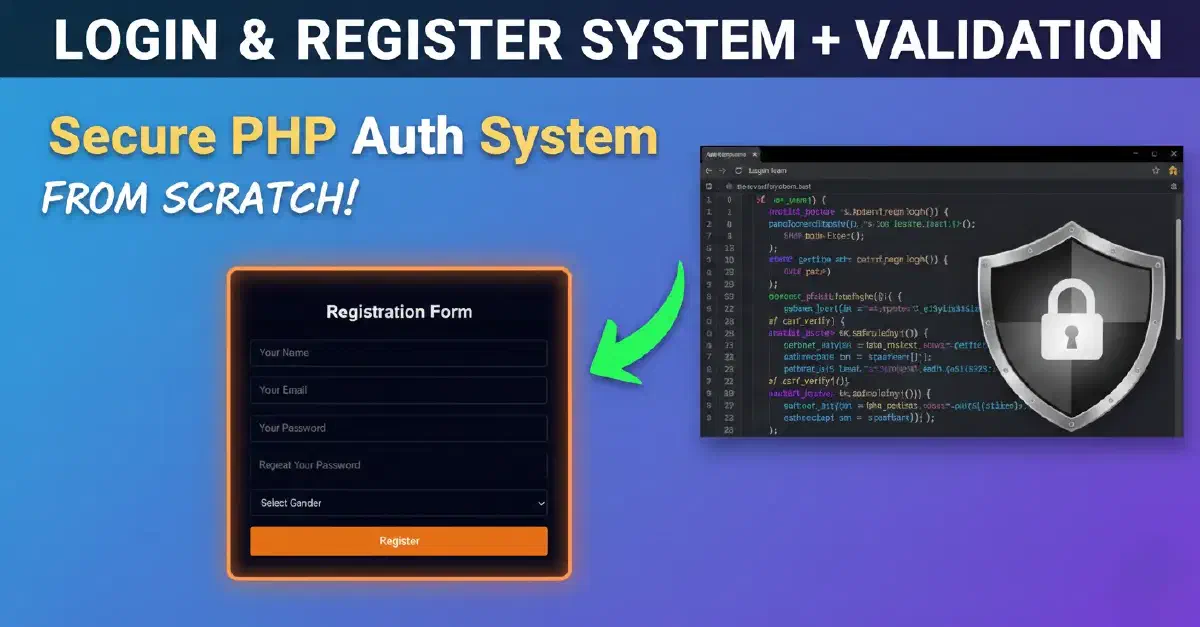

Are you looking for the right way to build a User Authentication System for your website? In this article, we will transition from a beginner to a professional level by building a complete script in PHP, focusing heavily on Security and code organization using Helper Functions.
We will learn how to protect forms against CSRF vulnerabilities, hash passwords, implement robust Data Validation, and manage Sessions securely.
1. Project Structure and Database Setup#
Before we dive into the code, we must organize the project to ensure scalability. You can download the project’s frontend files from this GitHub link. We will use the Laragon environment and change all file extensions from .html to .php.
Project Structure:#
- assets/: Static files (CSS/JS).
- helpers/: Logic helper files (
auth.php,csrf.php,validation.php). - layouts/: Shared UI components like
navbar.php.
MySQL Database Creation:#
First, log in to MySQL via your terminal using this command:
mysql -u root -pThen, create the database and the users table:
CREATE DATABASE authsystem;
USE authsystem;

CREATE TABLE users (
    id INT AUTO_INCREMENT PRIMARY KEY,
    name VARCHAR(50) NOT NULL,
    email VARCHAR(50) NOT NULL UNIQUE,
    password VARCHAR(255) NOT NULL,
    gender ENUM('male', 'female') NOT NULL,
    created_at TIMESTAMP DEFAULT CURRENT_TIMESTAMP
);
2. Database Connection (database.php)#
We use the Singleton pattern to ensure that the database connection is established only once during the script execution, which significantly improves performance.
<?php
function db(): PDO {
    static $con = null;
    if ($con === null) {
        try {
            $con = new PDO("mysql:host=localhost;dbname=authsystem;charset=utf8mb4", "root", "", [
                PDO::ATTR_ERRMODE => PDO::ERRMODE_EXCEPTION,
                PDO::ATTR_DEFAULT_FETCH_MODE => PDO::FETCH_ASSOC,
            ]);
        } catch (PDOException $e) {
            die("Database connection failed.");
        }
    }
    return $con;
}
3. The Validation Engine (validation.php)#
Validation is the most critical step in protecting your server from incorrect or malicious data. We have built a flexible function that supports rules like required, email, min, max, and password complexity.
<?php

function validate(array $rules, array $data): array
{
    $errors = [];

    foreach ($rules as $field => $rulesArray) {
        foreach ($rulesArray as $rule) {
            $ruleErrors = applyRule($field, $rule, $data);
            if (!empty($ruleErrors)) {
                $errors[$field] = array_merge($errors[$field] ?? [], $ruleErrors);
            }
        }
    }

    return $errors;
}

function applyRule(string $field, string $rule, array $data): array
{
    [$ruleName, $param] = array_pad(explode(':', $rule, 2), 2, null);
    $value = trim($data[$field] ?? '');
    $errors = [];

    switch ($ruleName) {

        case 'required':
            if ($value === '') {
                $errors[] = "The $field field is required.";
            }
            break;

        case 'string':
            if ($value !== '' && !is_string($value)) {
                $errors[] = "The $field must be a string.";
            }
            break;

        case 'email':
            if ($value !== '' && !filter_var($value, FILTER_VALIDATE_EMAIL)) {
                $errors[] = "The $field must be a valid email.";
            }
            break;

        case 'min':
            if ($value !== '' && strlen($value) < (int)$param) {
                $errors[] = "The $field must be at least $param characters.";
            }
            break;

        case 'max':
            if ($value !== '' && strlen($value) > (int)$param) {
                $errors[] = "The $field must be at most $param characters.";
            }
            break;

        case 'in':
            if ($value !== '') {
                $options = explode(',', $param);
                if (!in_array($value, $options)) {
                    $errors[] = "The $field must be one of: " . implode(', ', $options);
                }
            }
            break;

        case 'password_confirmation':
            if ($value !== ($data['password'] ?? null)) {
                $errors[] = "Password confirmation does not match.";
            }
            break;

        case 'has_number':
            if ($value !== '' && !preg_match('/\d/', $value)) {
                $errors[] = "The $field must contain at least one number.";
            }
            break;

        case 'has_special':
            if ($value !== '' && !preg_match('/[\W_]/', $value)) {
                $errors[] = "The $field must contain at least one special character.";
            }
            break;

        case 'has_upper':
            if ($value !== '' && !preg_match('/[A-Z]/', $value)) {
                $errors[] = "The $field must contain at least one uppercase letter.";
            }
            break;

        case 'has_lower':
            if ($value !== '' && !preg_match('/[a-z]/', $value)) {
                $errors[] = "The $field must contain at least one lowercase letter.";
            }
            break;

        default:
            $errors[] = "Unknown rule: $ruleName";
    }

    return $errors;
}
4. CSRF Protection (csrf.php)#
To protect our forms from Cross-Site Request Forgery, we generate a Secret Token and store it in the session.
<?php
function csrf_token() {
    if (empty($_SESSION['_csrf'])) {
        $_SESSION['_csrf'] = bin2hex(random_bytes(32));
    }
    return $_SESSION['_csrf'];
}

function csrf_input() {
    return '<input type="hidden" name="_csrf" value="' . csrf_token() . '">';
}

function csrf_verify() {
    return isset($_POST['_csrf'], $_SESSION['_csrf']) && hash_equals($_SESSION['_csrf'], $_POST['_csrf']);
}
5. Authentication Logic (auth.php)#
This file is the “heart of the system,” containing functions for registration, login attempts, and page protection.
Password Hashing:
We use password_hash for encryption and password_verify for comparison, combined with Prepared Statements to prevent SQL Injection.
<?php
require_once "database.php";

function auth_register(array $data): bool|string
{
    // Check email uniqueness
    $stmt = db()->prepare("SELECT id FROM users WHERE email = :email");
    $stmt->execute(['email' => $data['email']]);

    if ($stmt->fetch()) {
        return "Email already registered!";
    }

    $hashed = password_hash($data['password'], PASSWORD_DEFAULT);

    $stmt = db()->prepare(
        "INSERT INTO users (name, email, password, gender)
         VALUES (:name, :email, :password, :gender)"
    );

    $stmt->execute([
        'name'     => $data['name'],
        'email'    => $data['email'],
        'password' => $hashed,
        'gender'   => $data['gender'],
    ]);

    return true;
}


function auth_attempt(string $login, string $password): bool
{
    $isEmail = filter_var($login, FILTER_VALIDATE_EMAIL);

    $stmt = db()->prepare(
        $isEmail
            ? "SELECT * FROM users WHERE email = :value LIMIT 1"
            : "SELECT * FROM users WHERE name = :value LIMIT 1"
    );

    $stmt->execute(['value' => $login]);
    $user = $stmt->fetch(PDO::FETCH_ASSOC);

    if ($user && password_verify($password, $user['password'])) {
        $_SESSION['user'] = [
            'id' => $user['id'],
            'name' => $user['name'],
            'email' => $user['email'],
            'gender' => $user['gender'],
        ];

        session_regenerate_id(true);

        return true;
    }

    return false;
}
6. Login Page (login.php)#
This is where we bring everything together. We use the auth_redirect_if_logged() function to prevent authenticated users from accessing the login page again.
<?php
session_start();

require_once "helpers/validation.php";
require_once "helpers/csrf.php";
require_once "helpers/auth.php";

auth_redirect_if_logged();

$errors = [];

if (isset($_POST['login'])) {

    if (!csrf_verify()) {
        $errors[] = "Invalid CSRF token.";
    }

    $data = [
        "login" => $_POST['login'] ?? '',
        "password" => $_POST['password'] ?? '',
    ];

    $rules = [
        "login" => ["required"],
        "password" => ["required"]
    ];

    $errors = array_merge($errors, validate($rules, $data));

    if (empty($errors)) {
        if (auth_attempt($data['login'], $data['password'])) {
            header("Location: dashboard.php");
            exit;
        }
        $errors[] = "Invalid credentials.";
    }
}
?>
7. Registration Page (index.php)#
Before logging in, a user must be registered in the database. The index.php page handles user creation while ensuring data integrity through strict validation rules.
<?php
session_start();

require_once "helpers/validation.php";
require_once "helpers/csrf.php";
require_once "helpers/auth.php";

$errors = [];
$success = false;

if (isset($_POST['submit'])) {

    if (!csrf_verify()) {
        $errors[] = "Invalid CSRF token.";
    }

    $data = [
        "name" => $_POST['name'] ?? '',
        "email" => $_POST['email'] ?? '',
        "password" => $_POST['password'] ?? '',
        "confirmation_password" => $_POST['confirmation_password'] ?? '',
        "gender" => $_POST['gender'] ?? ''
    ];

    $rules = [
        "name" => ["required", "string", "min:3", "max:50"],
        "email" => ["required", "email", "max:50"],
        "password" => [
            "required",
            "min:6",
            "has_number",
            "has_special",
            "has_upper",
            "has_lower"
        ],
        "confirmation_password" => ["password_confirmation"],
        "gender" => ["required", "in:male,female"]
    ];

    $errors = array_merge($errors, validate($rules, $data));

    if (empty($errors)) {
        $result = auth_register($data);

        if ($result === true) {
            $success = true;
        } else {
            $errors[] = $result;
        }
    }
}

?>
8. User Dashboard (dashboard.php)#
The dashboard is a protected page that displays information about the currently logged-in user, retrieved from the session via our helper functions.
<?php
session_start();
require_once "helpers/auth.php";

auth_require_login();

$user = auth_user();
?>
9. Logout Logic (logout.php)#
The logout page clears all user traces from the server and removes session cookies from the browser before redirecting the user to the login page.
<?php
session_start();
require_once "helpers/auth.php";

auth_logout();
header("Location: login.php");
exit;
Why is this system “Professional”?#
Building a login system isn’t just about forms and databases; it’s the art of managing vulnerabilities and user experience. In this project, we:
- Prevent Enumeration: We don’t specify if the email or password was wrong (Security Best Practice).
- UX Focused: We preserve Old Input values if a validation error occurs.
- Clean Code: We separated the Logic from the UI using Helper files.
You can now download the full source code and extend it with features like “Forgot Password” or “Email Verification.”
The code on GitHub: